Payroll was happening outside the product
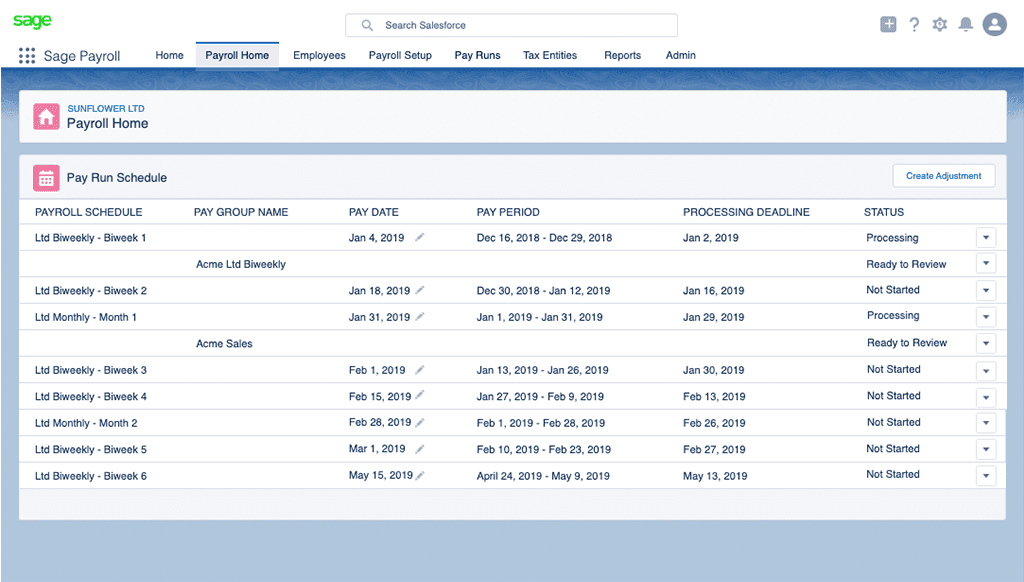
Most of a pay run happened outside the product. Clients sent data in spreadsheets and attachments, which practitioners reformatted by hand. Communication went through email and phone calls, and approvals happened in other tools.
A pay run started on Monday and had to be finished by Wednesday for direct deposit. Over those three days, practitioners entered data into Excel, printed it, and checked it twice. If someone isn’t paid correctly, they can’t pay their bills. Practitioners didn’t trust the system, so they built their own checks outside it.
Bringing the team together
A global team building a complex product on an unfamiliar platform. Our teams were spread across the UK, Ireland, Austria and the US, building payroll on Salesforce, a platform most of us hadn’t worked with before. In a setup like that, it’s common for teams to become siloed.
I saw that it was happening, and that we were solving the wrong problem. Three scrum teams in three countries were each focused on their own part of the product. The team had started from a proposed solution that didn’t address why payroll work kept leaving the system.
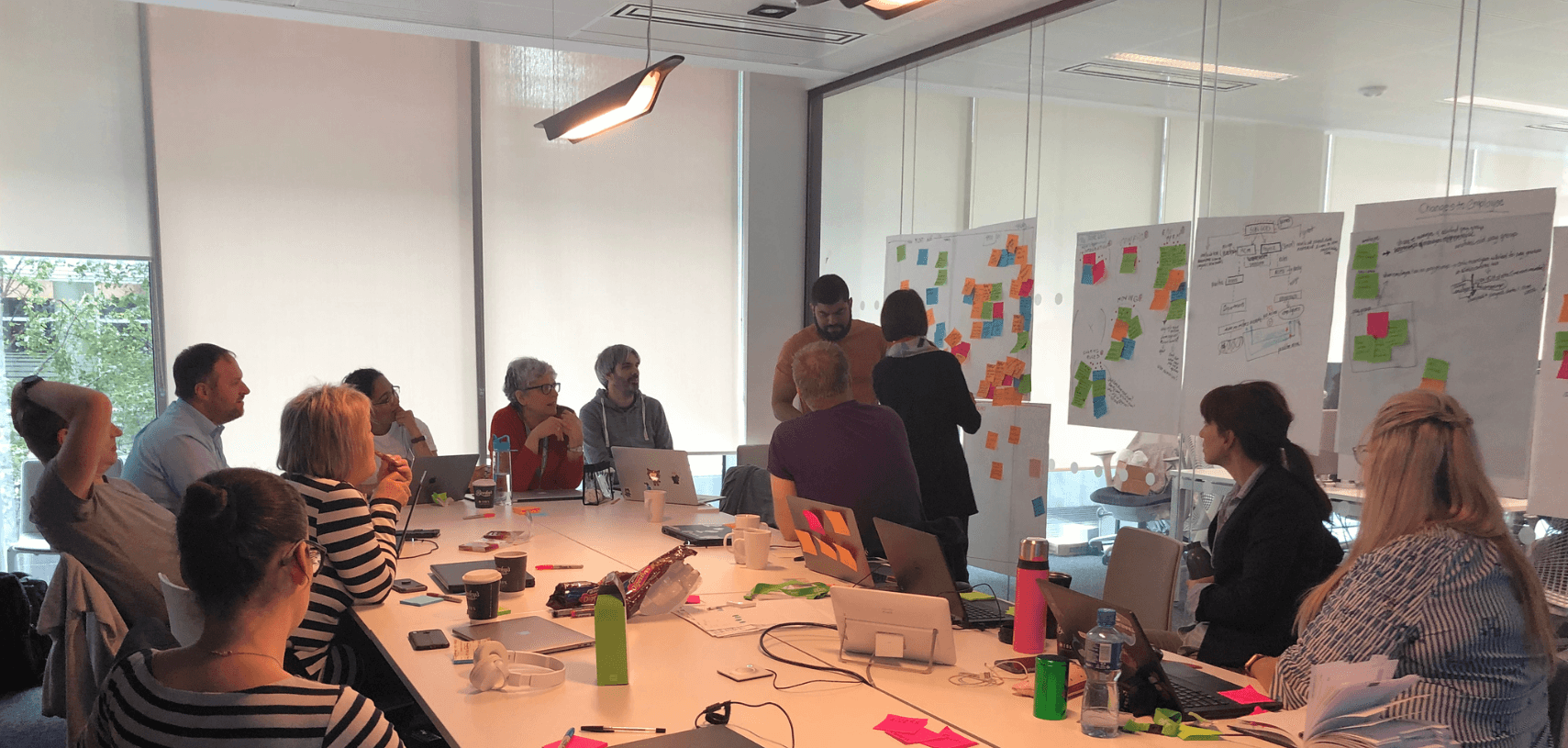
I made the case for bringing them together and secured executive sponsorship for in-person design thinking workshops. We flew representatives from each scrum team to sessions in London, Dublin, Newcastle and Reading. I recommended who should attend, so every team had a voice while the groups stayed small enough to make decisions. Leadership made the final call.
Empathize: we researched with Service Bureau practitioners and the first customer we were preparing to onboard. Designers, engineers, QA, solution designers, content and product owners all joined the sessions. That showed us the real need: confidence, not only speed.
Define: I mapped the full payroll lifecycle as process flows and journey maps, showing exactly where work left the system. For the first time, every team could see how its piece fit the whole.
Design direction: this led to four UX principles: centralized client communication, structured workflows that follow the payroll cycle, standardized data intake, and built-in validation and approval checkpoints.
Between workshops, I led a distributed design team and attended all three scrum teams’ meetings across time zones. When discussions became complex and drifted, the Director of Product asked me to step in and refocus them on the user and the lifecycle.


Designing payroll in a system made for CRM
SLDS was built for CRM, and it had little flexibility for payroll. We had to design the full payroll journey within its limits: configuring a company, setting up employee records, adding taxes and deductions, setting exception rules, running payroll, and paying employees by direct deposit or printed checks. I worked closely with product and engineering to deliver what practitioners needed:
Employee payroll record: SLDS had no detail view with a grid for payroll’s many tax and deduction line items. We built one on the Lightning data table, so practitioners could check every line item in the product instead of on a printout.
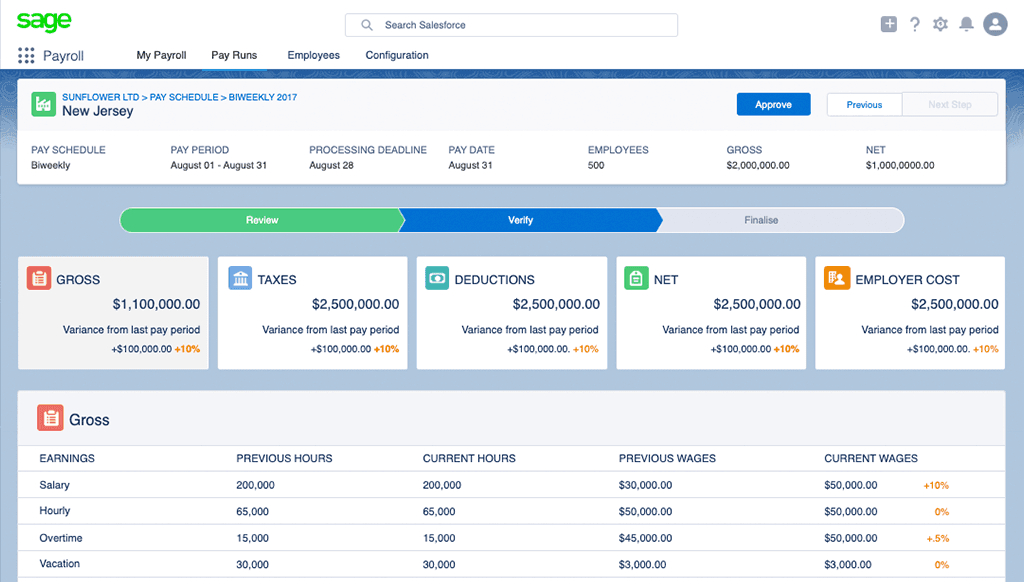
Exception detection: payroll admins create their own rules, and the product flags issues such as unusually high overtime before submission, so practitioners can focus on what needs their judgment.
Accurate taxes: validation makes sure the right amount of tax is taken out of every payslip.
Editing with errors that make sense: inline editing and payroll-specific error messages, written by our content writer, explain what’s wrong and how to fix it.
Amendments that match at month end: corrections are recalculated so payroll and finance agree when the month closes.
Parallel pay runs for one-off checks: when an employee needs a one-off payment outside the regular schedule, practitioners can create a parallel pay run without disrupting the main payroll, each with its own status.
Our own search and notifications: SLDS’s global search and notifications were built for Salesforce, so we designed our own for payroll.
The design followed Nielsen Norman’s usability heuristics: error prevention; helping users recognize, diagnose and recover from errors; user control and freedom; and visibility of system status
Pivot points
Challenge | What I did | How we changed direction |
|---|---|---|
The team’s proposed solution would fix payroll | Most payroll work happened outside the product | Stepped back to map the full lifecycle before designing |
Practitioners mainly needed speed | They needed confidence, because they checked everything twice | Designed for trust: exception rules, line-item detail, meaningful errors |
SLDS would provide the building blocks | t had no patterns for payroll, not even search or notifications | Trained at Salesforce with engineers and designed our own patterns |

Built, shut down, and what I learned
We built a global payroll product on Salesforce Lightning Design System. Even though SLDS was made for CRM, we designed and built the full payroll journey: company setup, employee records, taxes and deductions, exception rules, parallel pay runs, direct deposit and printed checks. The product was ready to onboard our first customer.
Then the business strategy changed. Sage wanted an enterprise global payroll product for companies with more than 1,000 employees. Our calculation engine could only handle up to 500 employees, so the project was shut down.
What I learned
Great experiences take the whole team. Designers, engineers, QA, solution designers, content and product owners all joined research to understand our users. That shared understanding helped us solve problems together, even inside a design system with little flexibility.
The calculation engine is the heart of payroll. Without an engine that can scale, even the best experience can’t carry the product. Now I bring core technical foundations into discovery from day one.